 GreenChat
Support on your website
Add the embed script and configure your allowed origins in the workspace. Visitors can open chat without leaving the page.
Learn moreAdd support to your website and mobile app. Give your team one workspace to pick up conversations, hand them over and follow up.
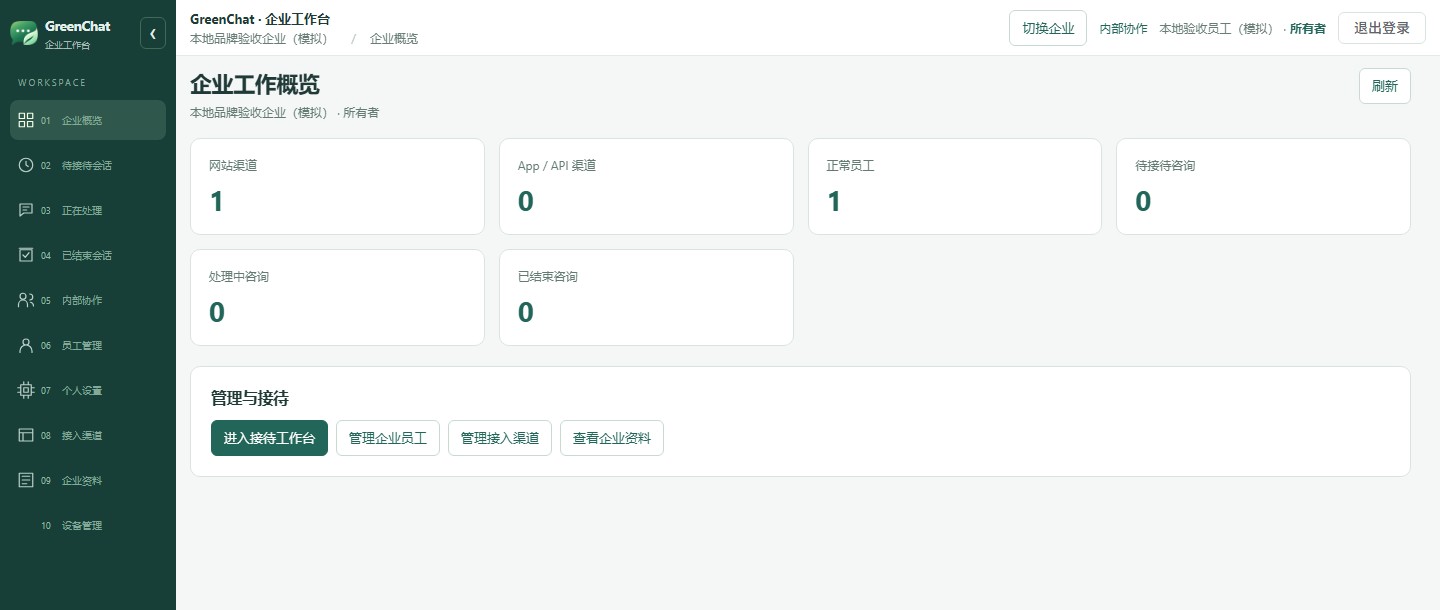
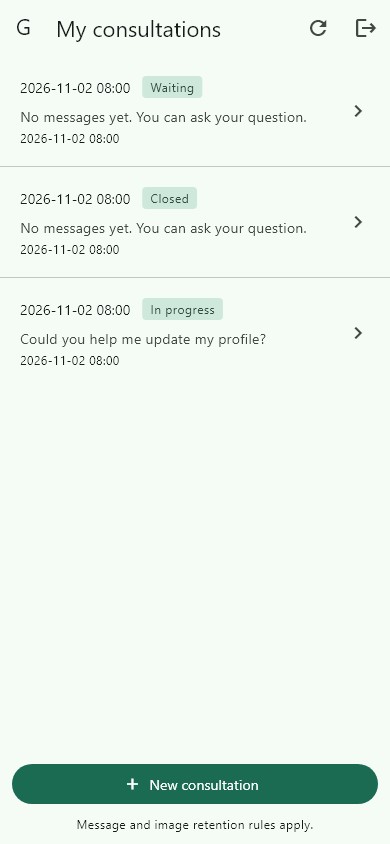
Customers can ask for help from the page or app they already use. Configure channels separately and handle their conversations from the same workspace.
Add the embed script and configure your allowed origins in the workspace. Visitors can open chat without leaving the page.
Learn moreEmbed a customer chat screen. Your backend verifies the signed-in user before requesting a short-lived GreenChat ticket.
Learn moreSee waiting, active and closed conversations. Authorized agents can claim or transfer a case and coordinate in internal chat.
Learn moreAgents can check their queues and reply from the Android or iOS staff app. Background push requires server configuration and device permissions.
Learn moreTell us about your team and where you need support.
Use your receipt to see the review result and next steps.
Confirm the first owner and configure agent access.
Verify the integration before opening it to customers.
Save your receipt when you submit. Once approved, use the status checker to read your onboarding instructions. Your organization and first owner must be set up before the workspace is available.
Yes. Create a channel per site, configure its allowed origins and grant access to the relevant agents. Staff can view conversations from authorized channels in one workspace.
Yes. Choose both when applying, then configure a web channel and an app integration separately.
Supported views receive events when a live connection is configured and use polling when it is unavailable. The Flutter Customer SDK chat polls while visible in the foreground.
Choose Business in the contact form and describe the scope of your deployment and service needs.
Tell us about your team and the channels you want to connect.